by Brian Dordevic | Mar 27, 2026 | Blog
Is Your Data Center and Disaster Recovery Ready for the Worst?
Picture this: a storm hits your area, knocking out power for hours and leaving your data center in the dark. Or perhaps it’s something less dramatic, like a misconfigured server or a ransomware attack that got through your security measures.
In either case, the outcome is the same: your systems are down, your team is scrambling, and every minute that goes by is costing you money, trust, and sleep.
If that scenario makes your stomach tighten, good. It’s a sign you recognize the importance of data center and disaster recovery planning, which often feels like a distant concern until it becomes the only thing that matters.
At Quantum Technology, we help businesses navigate exactly this, from decommissioning aging infrastructure to building recovery strategies that actually hold up under pressure.
This article walks you through what a solid disaster recovery strategy looks like, why it matters more than most teams realize, and how to build one that holds up when things go sideways.

What Is Data Center Disaster Recovery?
Let’s get the basics straight. Data center disaster recovery is the set of policies, tools, and procedures you put in place to restore your IT infrastructure in the event of an outage.
We’re talking about getting servers, networks, storage, and applications back online after something goes wrong, whether that outage was caused by a cyberattack, a hardware failure, or a flood in your server room.
The goal is simple: to minimize downtime and data loss. But executing it is where things get complicated.
A strong disaster recovery strategy includes redundant systems, off-site backups, clearly documented processes, and people who know exactly what to do when the alert fires.
Think of it as your organization’s emergency playbook, except the emergency is digital and the stakes are measured in dollars per minute.
Why Every Business Needs a Data Center Disaster Recovery Plan
Most businesses know they should have a data center disaster recovery plan to get things back up and running quickly. However, fewer actually have one that works.
The reasons you need one are concrete:
- Downtime is expensive. For enterprise organizations, unplanned outages can cost thousands of dollars per minute. Even smaller companies feel the hit fast.
- Data loss can be permanent. Without proper backups and replication, a single incident can wipe out entire months of work.
- Compliance demands it. Industries such as finance, healthcare, and government have strict regulations regarding data protection and recovery capabilities. Lacking a plan exposes you to regulatory pressure.
- Your reputation is on the line. Customers don’t care why your service went down, only how long it took you to get things back to normal.
A business continuity plan without a disaster recovery plan is a house built on sand. Your business requirements should define how much downtime you can absorb and how much data you can afford to lose. Everything else flows from those two numbers.
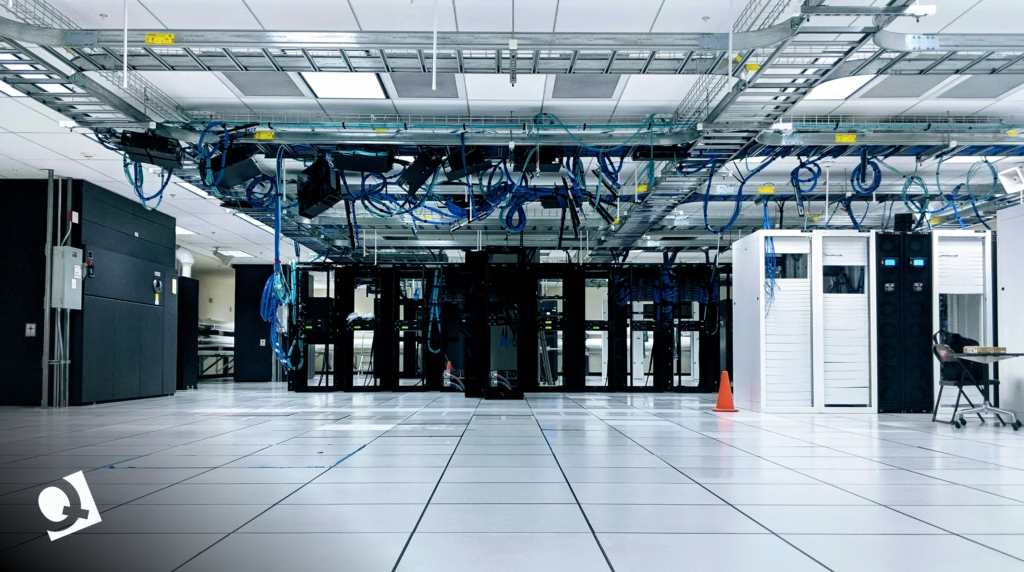
Common Threats to Data Center Infrastructure
To build an effective disaster recovery strategy, you need a clear understanding of the risks your data center infrastructure actually faces.
Natural disasters are the obvious ones: floods, earthquakes, hurricanes, and wildfires. If your data center sits in a risk-prone area and you don’t have geographic redundancy, you’re gambling.
Cyberattacks, the dread of security teams. Ransomware is especially nasty because it doesn’t just take your systems offline. It can spread to backup sites if your failover isn’t carefully designed. According to recent data, more than half of large businesses experience some form of cybercrime in a given year.
Hardware failures happen more often than people would like to admit. Servers age, drives fail, and power supplies give out. Supporting infrastructure like cooling systems can also become a liability over time, especially when components aren’t properly retired or handled through refrigerant recovery. If your infrastructure is overdue for a refresh (or a proper decommission), you’re carrying risk you don’t need to.
Human error rounds out the list. A bad configuration change, an accidental deletion, or a botched update happens even in the best teams. The question is whether your incident management process can catch and correct them before they cascade.
Key Elements of a Disaster Recovery Strategy
Building a real disaster recovery strategy takes more than buying backup storage and hoping for the best. For many teams, the gold standard for data center and disaster recovery planning includes the following elements:
- Business Impact Analysis (BIA). Identify which systems and applications are critical. Rank them, and know which ones need to come back first and which can wait.
- Recovery Time Objective (RTO). It represents the maximum amount of time your business can survive with a given system offline. A payment processing platform might have an RTO measured in minutes. An internal knowledge base might withstand hours.
- Recovery Point Objective (RPO). How much data can you afford to lose? If your RPO is one hour, you need backups running at least every 60 minutes.
- Backup and replication. Store copies of your data in multiple locations. On-site, off-site, and cloud: to be redundant here is the whole point.
- Geographic diversity. Your primary and secondary data centers should be far enough apart so that a single regional event can’t knock both out. A common guideline is at least 100 miles of separation.
- Documented recovery steps. Write them down. Assign roles. Make sure the people responsible actually know the process before disaster strikes.
- Communication plan. Who gets notified? In what order? And through what channels? Confusion during an outage can amplify the damage.
These elements form your continuity plans. Skip any of them, and you’re leaving a gap that will show up at the worst possible time.
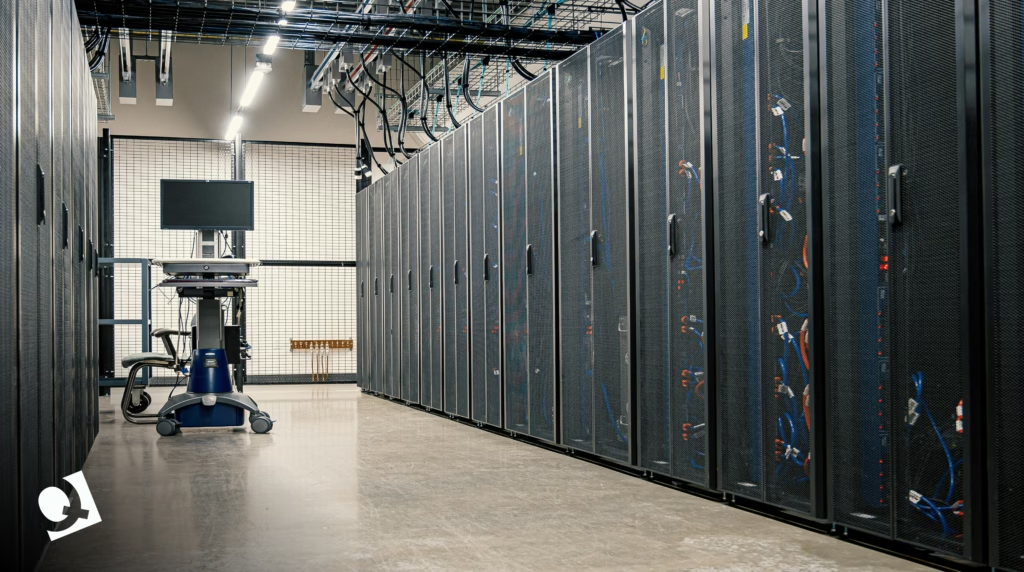
Data Center and Disaster Recovery Best Practices
A disaster recovery plan is effective so long as it’s executed well. In practice, teams that recover quickly and consistently follow a disciplined set of operational practices:
- Test regularly, and test realistically. A disaster recovery plan you’ve never tested is a guess. Run tabletop exercises quarterly, conduct a full-scale simulation at least once a year, and involve the people who would actually run the recovery (not just the architects who designed it).
- Automate your backups. Manual backup processes are ticking time bombs. Automate them, monitor them, and verify that restores actually work.
- Keep your plan current. Infrastructure changes, people leave, and new applications get deployed. Your business continuity plan should be a living document that gets reviewed and updated on a set schedule, not something that sits in a shared drive collecting dust.
- Assign clear ownership. Every component of your incident management response needs a named owner. “Someone will handle it” is not a good plan when an outage hits.
- Factor in lifecycle management. Aging hardware is a hidden liability. Servers past their end-of-life date are more prone to failure and harder to source replacement parts for. Properly decommissioning outdated equipment, with certified data destruction and responsible disposal, removes a risk vector that too many organizations overlook.
- Document lessons learned. After every test and every real incident, do a post-mortem. What worked? What broke? What took longer than expected? Feed those insights back into your plan.
How Quantum Technology Supports Your Disaster Recovery Goals
Disaster recovery planning tends to focus on what happens when systems fail. But less attention is paid to what happens when systems are retired.
When you upgrade your data center, migrate to the cloud, or consolidate infrastructure, the hardware you leave behind doesn’t simply disappear. It still contains data that carries operational and compliance risks. And if that isn’t handled correctly, it can undermine the very recovery strategy you’ve put in place.
At Quantum Technology, we specialize in the secure teardown, data destruction, and responsible disposal of retired IT assets. This work directly supports your disaster recovery measures by removing outdated, vulnerable hardware from your environment and ensuring that sensitive data isn’t exposed through improperly handled equipment.
If you’re upgrading your data center or retiring legacy systems, working with a partner who understands both the technical and compliance requirements makes the process cleaner and safer.
Ready to take the next step? Contact Quantum Technology to ensure your assets are securely handled, fully compliant, and aligned with your disaster recovery strategy from end to end.
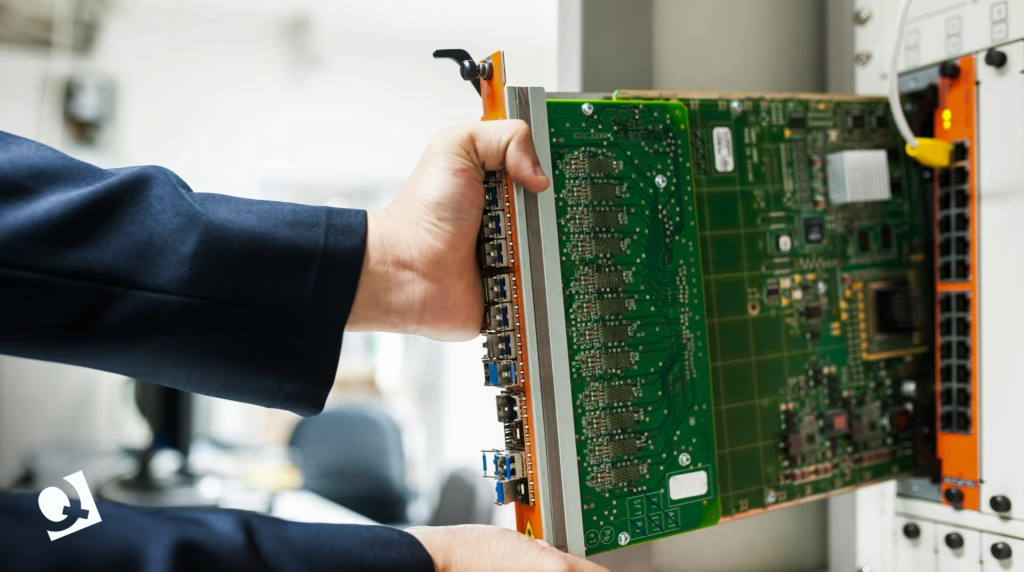
FAQs About Data Center and Disaster Recovery
1. What is a data center disaster recovery plan?
A data center disaster recovery plan documents exactly how your organization restores IT systems after an outage. It includes risk assessments, backup protocols, recovery steps, role assignments, and communication procedures. The goal is to get critical operations online within your defined RTO and RPO thresholds.
2. What is the difference between RTO and RPO in disaster recovery?
Recovery Time Objective (RTO) is the maximum acceptable downtime for a system. Recovery Point Objective (RPO) is the maximum data loss you can tolerate, measured in time. An RPO of four hours means backups must run at least that often. Together, they determine your backup frequency and infrastructure priorities.
3. How often should you test your disaster recovery strategy?
Run a full-scale test at least once a year, supplemented by quarterly tabletop exercises. Test again after any major infrastructure change. Regular testing reveals gaps before a real incident does, and teams that practice consistently recover faster with fewer surprises.
4. Why is data protection critical to business continuity?
Without intact data, applications can’t run, transactions can’t process, and customers can’t be served. Strong data protection (backups, encryption, offsite replication) ensures you can rebuild after a disruption. It also keeps you compliant with privacy regulations that penalize data protection failures.
5. What role does data center decommissioning play in disaster recovery?
Outdated hardware is failure-prone and harder to support. Keeping retired assets in your environment increases your attack surface and complicates recovery. Proper decommissioning, with certified data destruction and asset tracking, eliminates those risks and ensures compliance with data protection standards.
by Brian Dordevic | Mar 2, 2026 | Uncategorized
Recycling is not a new concept for anyone.
We all did it at some point in our lives. Even children learn how to recycle at school.
With environmental issues growing at a large scale nowadays, recycling and reducing waste are critical.
Electronic waste is a huge part of the problem. Humans make use of electronic devices more and more frequently, and with that usage, the amount of e-waste generated per year also grows globally.
When data centers dispose of their equipment, there are protocols and guidelines to do it safely and reduce the environmental footprint/ That’s why today we want to talk about data center equipment recycling.
At Quantum Technology, we understand that reducing the environmental impact of obsolete data center equipment is crucial, and finding new uses for equipment that reached the end of its lifecycle is key to minimizing the negative consequences of eliminating it.
In this article, we will discuss the importance of data center equipment recycling, its opportunities, and our stance on environmental practices.
What Is Data Center Equipment Recycling
Data center equipment recycling consists of managing the equipment that data centers no longer need, as a result of an upgrade or after a decommissioning process.
When data centers have to get rid of their equipment, they could just throw it away in a dumpster for the landfill.
We are talking about equipment such as:
- Servers
- Storage devices
- Cables and wires
- Racks
- Power supplies
- Transformers
- UPS and batteries
- Switchgear
- CRAC units (Computer Room Air Conditioner)
- Raised flooring
- Generators
- And more…
All of this hardware, appliances, and their components can be restored, and resold, allowing companies divesting from a data center to recover some of the asset money while at the same time allowing them to reduce their environmental footprint and impact on landfills.
Actually, material embedded in e-waste generated in 2022 reached around 91 billion dollars. Yes, think of all of that money lost due to a lack of awareness.
After a decommissioning process, recycling can help to identify the opportunities of getting an extra return on the initial investment, and manage equipment in an eco-friendly manner, according to safety guidelines.
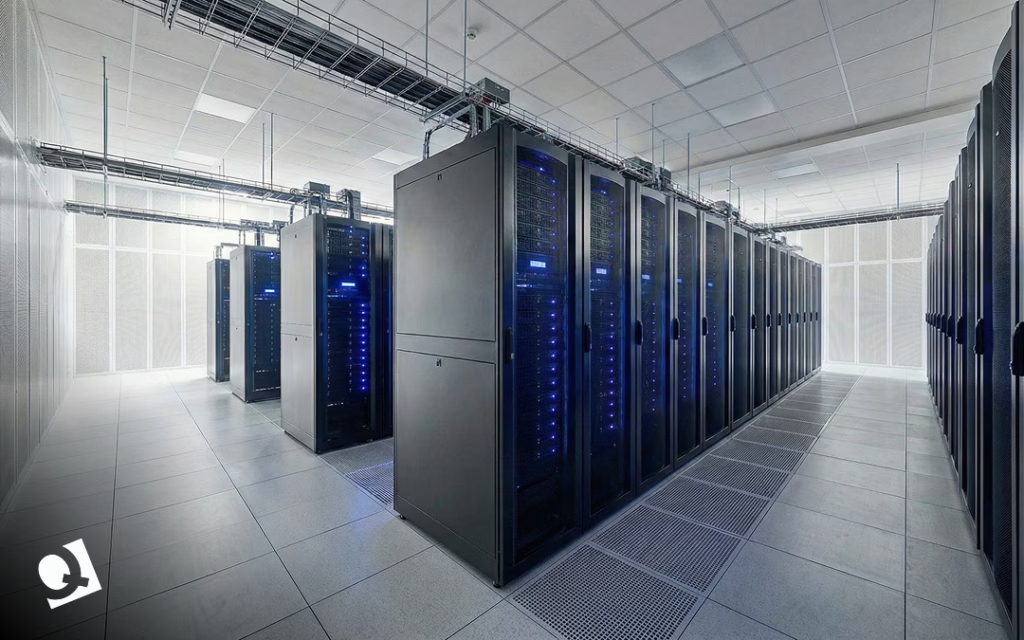
Why Is Data Center Recycling Important
Data centers and big tech companies handle huge amounts of electronic devices and items that have to meet certain requirements for safe disposal.
There are many reasons why disposing of data center equipment responsibly is important:
Regulatory Compliance
Companies have to follow guidelines and comply with laws and regulations to safely handle, eliminate, and destroy data stored in servers.
Sensitive information is at stake, and mishandling it results in fines, lawsuits, and, most importantly, the loss of clients’ trust.
Eliminating data center equipment in accordance with regulations ensures data security, proper disposal, and the prevention of breaches.
Environmental Protection
Data centers deal with significant amounts of devices and equipment. When they frequently replace these appliances, the volume of e-waste grows dramatically.
Consider as well that waste from a data center can release toxic substances, such as lead, mercury, or arsenic, contaminating water, air, and soil, and posing a health threat.
Recycling involves reusing some elements and repairing others that can be sold, reducing the accumulation of e-waste and diminishing the risk of releasing toxic materials.
Value Recovery
Companies can recover some of the money spent on equipment, rather than just eliminating it, by reusing, refurbishing, and selling appliances and other items from data centers.
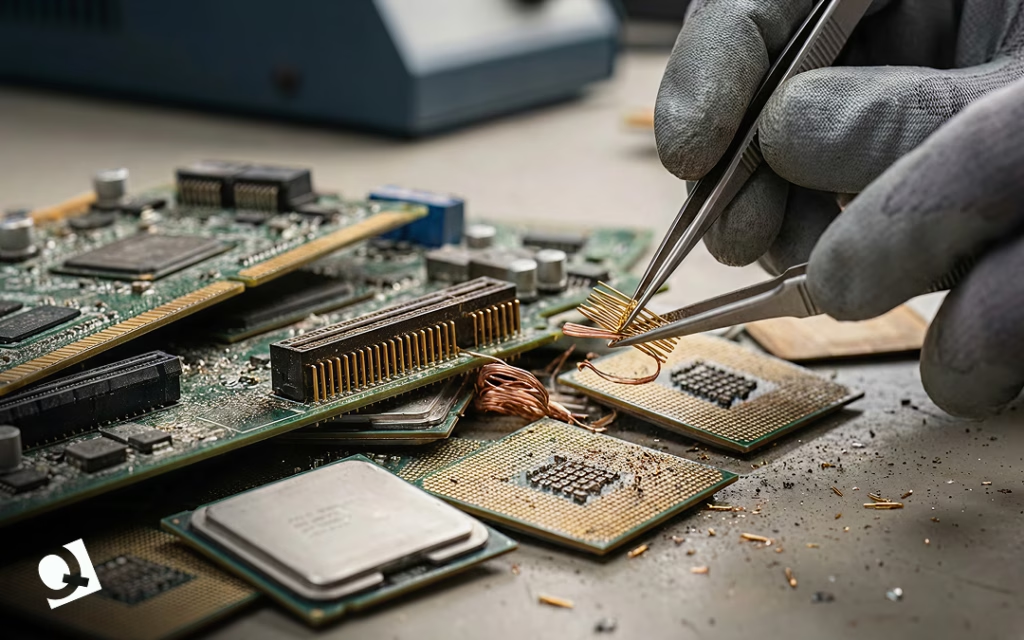
Moreover, the equipment contains materials that can be extracted and sold, such as copper or gold.
Identifying opportunities to recover value from these items is another way companies can generate revenue while reducing environmental damage.
Recycling as a Core Strategy
Do you know who’s leading the change towards sustainability? Microsoft.
In 2024, Microsoft reused and recycled around 90.9% of its servers and components.
Tech giants and businesses understand the importance of incorporating sustainability strategies. Recycling is strategic for businesses in many ways.
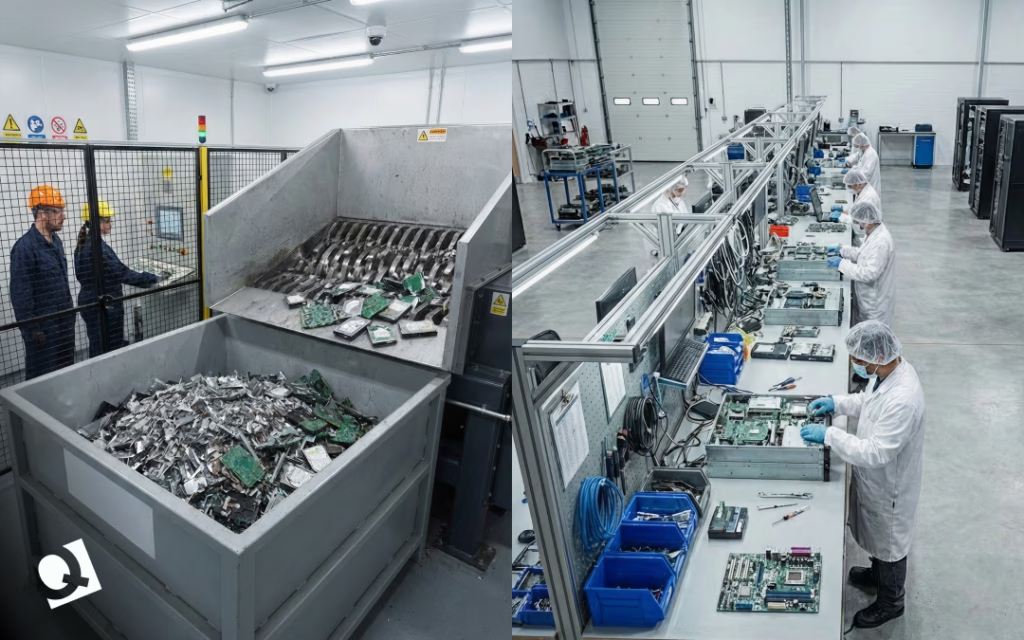
During the recycling process, you can assess whether equipment components can be reused. Circularity reduces waste and also avoids the unnecessary investment in new equipment, allowing you to save costs.
As mentioned before, it is also possible to extract precious and valuable material from equipment no longer used, allowing for the recovery of investment. A material that many people look for is copper, which is found in wires.
The hidden factor that no one mentions is the competitive advantage of recycling.
Companies frequently have to comply with regulations on data handling and the safe disposal of waste to protect the environment.
By embracing recycling measures, businesses avoid fines and have the opportunity to position themselves as sustainability leaders, a key differentiator today. Think of audiences that value eco-friendly practices before buying a product.
Sustainability as a business strategy is beneficial to gain an advantage over competitors, comply with regulations on data and e-waste disposal, reduce the environmental footprint, and recover value.
Embracing sustainable practices like recycling is seen as a “trend”, but we take it seriously. Our certifications are part of our commitment to protecting the environment while providing services.
FAQs (Frequently Asked Questions) on Data Center Recycling
- What is data center equipment recycling?
Recycling data center equipment means identifying, managing, restoring, repurposing, and, in some cases, reselling equipment from data centers that still have value, even though they are no longer useful at their current location. Recycling practices range from reusing or repairing equipment to extracting its components and selling them.
- What items can be recycled from a data center?
Some pieces of equipment that can be recycled include routers, switches, power units, racks, wires, CRAC units, batteries and cooling components.
- What are the consequences of an incorrect disposal of data center equipment?
The incorrect disposal of data center equipment has several consequences. First of all, it adds up to the tonnes of waste already generated. Second, it can cause data security breaches from improperly disposed servers containing sensitive information, leading to fines and lawsuits, and harming your company’s reputation. Third, it affects the environment by allowing the release of toxic materials and preventing the repurposing of the equipment.
Quantum: Ready to Recycle With You
Many companies see decommissioning processes as separate from recycling.
At Quantum, we are committed to safeguarding the environment, and data center equipment recycling plays a key role in reducing the impact of data center waste on our planet.
Recycling is an integral part of our data center decommissioning services, because we understand that dismantling your data center is more than erasing your Search History and shutting down some servers.
Responsible elimination of equipment and sustainable practices for data centers are part of our core values.
If you are ready to recycle your data center equipment, contact us today and let us be part of your strategy towards sustainability.
by Brian Dordevic | Jan 13, 2026 | Blog
If you’ve seen the TV show Silicon Valley, you might recall how servers are treated almost like sacred objects. Characters speak in hushed tones around racks of blinking lights. When someone trips over a cable, it seems like a disaster. The show makes
data centers seem mysterious and high-stakes, where a single mistake could bring down an entire company.
That’s an exaggeration, of course, but there’s some truth to it.
Every app, website, video call, cloud file, and AI tool we use relies on a physical space full of hardworking equipment. Data centers aren’t just abstract ideas. They’re real rooms, buildings, and even campuses packed with machines that need to run all the time, stay cool, stay secure, and remain reliable.
You don’t need an engineering degree to understand
data center equipment. It just helps to break things down into simple, practical parts. Let’s get started.
The Quiet Backbone of the Internet
Most people think of software when they think about technology, apps, platforms, dashboards, and interfaces. But software can’t work by itself. It needs hardware to run, store data, process requests, and move information between systems.
That’s where data center equipment comes in.
At its core, a data center is a controlled environment designed to house and protect computing equipment. The goal is simple: keep systems running 24/7 without interruption. Everything inside a data center supports that goal, directly or indirectly.
Some equipment thinks. Some store information. Some keep everything powered. Some keep everything cool. And some exist purely to prevent chaos.
Servers: Where the Work Happens
Servers are the stars of the show, and for good reason. They are the machines that actually run applications, process data, and respond to user requests.
In a TV show, a server might look like a magical black box. In real life, it’s a specialized computer built for reliability and performance. Servers are designed to operate continuously, often for years, without being shut down.
They usually live in metal racks, stacked neatly one on top of the other.
Each server has processors, memory, storage, and network connections, similar to a personal
computer, but scaled up and hardened for continuous operation.
Different servers serve different purposes. Some handle databases. Others manage web traffic. Some run virtual machines. Others are optimized for high-performance computing or AI workloads.
What matters most is consistency. A server doesn’t only need to look impressive. It also needs to work every single time.
Storage Equipment: Where the Data Lives
If servers are the brain, storage is the memory.
Storage equipment is where data actually lives when it’s not actively being processed. This includes customer records, application data, backups, videos, images, logs, and everything else organizations can’t afford to lose.
Modern data centers use a mix of storage types. Some systems prioritize speed, using solid-state drives to deliver fast access. Others prioritize capacity, using larger disks to store massive volumes of data at a lower cost.
Redundancy is critical here. Data is rarely stored in just one place. Copies are spread across multiple drives, systems, or even locations so that if something fails, the data remains accessible.
On TV, losing data often happens instantly and dramatically. In reality, data loss is usually slow, preventable, and tied to poor planning or neglected equipment.
Networking Equipment: The Digital Highway
Servers and storage are useless if they can’t communicate. Nequipment enables data to move within the data center and out to the world. This includes switches, routers, firewalls, and cabling systems.
The switches connect devices within the data center, making sure traffic flows efficiently between servers and storage systems. Routers manage traffic between networks, directing data to the right destinations. Firewalls control access and help protect systems from unauthorized activity.
Cabling may not look exciting, but it’s one of the most critical components. Poor cable management leads to airflow problems, maintenance headaches, and human error. In real data centers, cables are labeled, routed, and secured with obsessive care.
This is one area where the Silicon Valley panic scenes feel familiar. One unplugged cable can cause real problems, even if it doesn’t bring the internet crashing down in slow motion.
Power Equipment: Keeping the Lights On
Data centers are power-hungry environments. Servers need electricity, but they also need stable, clean power.
Power equipment includes uninterruptible power supplies (UPS), power distribution units (PDUs), backup generators, and monitoring systems. Their job is to make sure that power interruptions do not interrupt operations.
If the main power source fails, UPS systems provide immediate backup power, buying time for generators to start. Generators then supply electricity for extended outages. This is not optional equipment. Even a few seconds of downtime can cause data corruption, service outages, or financial loss.
In reality, power planning is one of the most complex parts of data center design. It’s also one of the least visible when everything is working properly.
Cooling Equipment: Fighting Heat Every Second
Servers generate heat. Lots of it.
Cooling equipment exists to remove that heat and keep temperatures within safe operating ranges. This includes air-conditioning units, chillers, fans, liquid-cooling systems, and airflow-management tools.
Modern data centers are designed around airflow. Cold air is delivered where it’s needed most. Hot air is removed efficiently and kept from mixing with cool air.
When cooling fails, problems escalate quickly. Overheating can cause automatic shutdowns, hardware damage, and a shortened equipment lifespan.
This is one area where reality is far less dramatic than TV, but far more unforgiving. There’s no heroic fix at the last second. Cooling either works, or it doesn’t.
Racks and Physical Infrastructure: The Real Heroes
Racks, cabinets, and containment systems don’t get much attention, but they are essential. They hold servers and ensure proper airflow.
The cabinets protect the equipment from dust and accidents. Raised floors or overhead systems help route cables and cooling efficiently.
Good infrastructure makes maintenance easier and safer. Poor infrastructure makes simple tasks risky.
In many real data centers, the difference between smooth operations and constant problems comes down to how well this “boring” equipment was planned.
Monitoring and Management Tools
Modern data centers are heavily monitored environments.
Sensors track temperature, humidity, power usage, airflow, and equipment health. Data Management software alerts teams when something is out of range, long before a human would notice.
This proactive approach is what prevents small issues from becoming outages. It’s also why real data centers are usually calm places, not the high-stress chaos we see on TV.
Most of the work happens quietly, in dashboards and alerts, not frantic conversations.
Security Equipment: Physical and Digital
Data center security isn’t handled in just one way. It’s built in layers, with each layer backing up the next.
It starts with physical security. Access to a data center is tightly controlled. Cameras monitor activity, entry points are locked down, and sensitive areas are often protected by cages or restricted zones. In some facilities, biometric systems add another level of control, making sure only authorized people can get near critical equipment.
Then there’s the digital side. Security software constantly watches network traffic, looking for anything unusual. It blocks known threats, flags suspicious behavior, and enforces rules that keep systems from being exposed.
All of this exists for one simple reason: trust. Customers trust that their data will be handled safely. The equipment inside a data center plays a major role in protecting that trust every single day.
The Lifecycle of Data Center Equipment
One thing you rarely see in movies or TV shows is what happens when data center equipment reaches the end of the road.
None of this hardware lasts forever. Servers slow down over time. Storage systems fill up. Power equipment becomes less efficient. Cooling technology improves, leaving older systems behind.
At some point, equipment needs to be replaced, shut down, or fully decommissioned. That process takes planning. Data has to be moved carefully. Drives must be securely wiped or destroyed. Old hardware needs to be recycled or disposed of responsibly.
When organizations ignore this lifecycle, problems tend to pile up. Costs rise, risks increase, and day-to-day operations become harder than they need to be.
Data Center Equipment Is The Reason
AI, cloud computing, and digital transformation get a lot of attention, but all depend on the physical hardware that runs in the background.
The next time a TV show highlights a chaotic server room, keep in mind that the real effort happens in preparation, reliable backups, and systems quietly operating as intended.
It’s the data center equipment that makes our technology dependable, and always on; the steady background hum is what powers the digital world.
Next time you’re using your favorite app or video calling a friend, take a moment to appreciate the incredible data center equipment working tirelessly behind the scenes to make it all possible!
by Brian Dordevic | Jan 13, 2026 | Blog, Data Center Decommissioning
When data center disasters show up in movies, they all look the same.
Everything feels controlled, almost sterile. Then someone notices a warning on a screen. A moment later, smoke crept along the ceiling. Alarms go off. People start running. The servers are overheating, the facility is failing, and chaos takes over.
It makes for a great scene.
In real data centers, nothing explodes or catches fire. There is no dramatic moment when everyone realizes something is wrong. Instead, problems develop quietly, which makes them even more dangerous.
Temperatures rise slowly. Cooling units run longer than usual. A warning appears, then clears. Everything seems fine, so everyone moves on.
Until the alarms finally sound, the problem has already been building for days or weeks.
The Problem Usually Starts Long Before the Outage
When a data center experiences downtime, the investigation almost always starts in the same place: Servers, power, and network equipment.
Cooling is often treated as a secondary system, something that either works or doesn’t. If the cooling is running, it is assumed to be fine.
In practice, many cooling failures do not happen suddenly; they start during maintenance.
An upgrade, a routine repair, component replacement, or scheduled service window can be eventful. Once the system is back online and dashboards turn green, it’s easy to assume that everything went smoothly.
Even a small issue during refrigerant handling might have occurred, one that remains hidden until the right conditions reveal the problem.
Why Refrigerant Handling Matters in Data Centers
Every time a cooling system is serviced, repaired, upgraded, or decommissioned, refrigerant must be removed from the system. This step is unavoidable.
A
refrigerant recovery machine enables the safe extraction of refrigerant, stores it in certified recovery cylinders, and prevents its release into the environment or contamination of the system.
When the process is handled correctly, the cooling system can be returned to service as designed. If rushed or done improperly, long-term risks are introduced.
What Goes Wrong Without Proper Refrigerant Recovery
Improper refrigerant handling does not always cause immediate failure. That is what makes it dangerous.
Common issues include:
- Loss of refrigerant during maintenance.
- Moisture is entering closed refrigerant loops.
- Air trapped inside system lines.
- Incorrect refrigerant charge during restart.
Each of these issues places stress on compressors and reduces cooling efficiency. The system may appear to function normally at first, especially under light loads.
As demand increases, the margin disappears.
The False Confidence of a “Clean” Restart
After maintenance, cooling systems often restart without any apparent issues: dashboards return to green, temperatures stabilize, and teams move on.
All of this creates a false sense of confidence.
Cooling systems typically fail under load, not during idle conditions. A traffic spike, a backup, a software deployment, or a seasonal temperature increase can push a compromised system beyond its limits.
When that happens, thermal alarms escalate to that point fast enough that the opportunity for prevention has passed.
Why the Server Room Is Rarely the Real Starting Point
When servers overheat, everything downstream feels like an IT problem. Systems throttle back. Applications slow down or drop. Virtual machines scramble to move. Customers notice almost immediately.
From the outside, it appears to be a server failure. Inside the facility, the story is often very different.
In many cases, the real issue stems from the cooling work done days or even weeks earlier. A small mistake during maintenance. Refrigerant handling seemed routine at the time. Nothing dramatic enough to raise concerns right away.
Cooling failures tend to be delayed failures. This means it is not immediately apparent, and that delay makes them harder to diagnose, harder to explain, and far more expensive to fix once they surface.
By the time the servers react, the real damage has already been done.
Refrigerant Recovery Machines as a Reliability Tool
In data center operations, reliability depends on consistency.
Processes must be repeatable, verifiable, and documented. Refrigerant recovery machines support these processes by standardizing how refrigerant is removed and stored during maintenance, ensuring:
- Clean refrigerant extraction without contamination.
- Accurate refrigerant preservation for recharging.
- Stable system pressure during restart.
- Faster and more predictable recovery times.
Data center reliability is defined by execution.
Every maintenance task is an opportunity to protect system stability or introduce risk. Refrigerant recovery is often treated as a background step, but it directly affects cooling performance,
equipment lifespan, and resilience. Ignoring it does not remove the risk. It simply delays the appearance of the consequences.
Why This Matters More in Modern Data Centers
Modern data centers operate with higher rack densities and tighter thermal thresholds. There is less tolerance for inefficiency.
As cooling architectures become more complex, even small refrigerant-related issues can have amplified effects. What was manageable in older facilities becomes unacceptable in high-density environments.
This makes refrigerant recovery machines a critical part of modern data center infrastructure management.
Downtime Prevention Starts Before the Alarms
In movies, data center failures are dramatic and immediate. In reality, they are quiet and gradual.
The most damaging outages often begin long before anyone notices a problem.
They begin during routine maintenance. During system restarts. During refrigerant handling, which is often overlooked.
Downtime prevention does not start in the server room.
It starts in the cooling system.
At Quantum Technology, cooling infrastructure is treated as mission-critical, not background equipment.
Our data center services focus on:
- Reliable cooling system maintenance and modernization.
- Proper refrigerant recovery and handling practices.
- Risk reduction during upgrades and decommissioning.
- Protecting uptime through disciplined infrastructure processes.
Whether you are maintaining existing systems, upgrading cooling infrastructure, or planning a data center decommissioning, the details matter.
Quiet failures are still failures.
by Brian Dordevic | Jan 13, 2026 | Blog
Decommissioning a data center is not as simple as turning off the lights and unplugging the servers. It is a detailed process that handles data security, compliance, finances, operations, and people. Whether an organization is moving to the cloud, consolidating locations, or retiring aging infrastructure, the risks of getting it wrong are real.
This is where a data center decommissioning checklist becomes essential.
Instead of relying on your memory or scattered documentation, a checklist provides the team a clear path that helps avoid missed steps, protect sensitive data, and close projects with confidence.
This guide breaks down what data center decommissioning really involves, why a checklist matters, and how to use one in a practical, human way, not just as a technical exercise.
What Data Center Decommissioning Really Means
Data center decommissioning is the structured retirement of systems, hardware, applications, and facilities that are no longer needed or in use.
It can involve an entire data center or just specific components, such as servers, storage devices, or networking equipment.
Organizations typically decommission data centers when they migrate workloads to the cloud, consolidate facilities, upgrade outdated hardware, or even reduce operating costs. In many cases, the decision is driven by business strategy rather than technology alone.
Because data centers support critical services and store sensitive information, decommissioning must be approached carefully. One overlooked system or forgotten access point can lead to security gaps, compliance issues, or unexpected downtime.
Why a Data Center Decommissioning Checklist Is So Important
A data center decommissioning checklist turns a complex shutdown into a controlled process. It helps teams slow down, follow the correct order, and document each step along the way.
When you skip the checklist, you run into issues down the line: leftover data on old drives, lingering access permissions, or vendors that are still charging for services no one is actually using, which can become a headache.
Having a checklist in place helps us avoid these problems and ensures that everyone is on the same page.
It’s all about reducing risks and keeping everything running smoothly.
Just as importantly, it creates an audit trail. When regulators, auditors, or leadership ask how data was handled, the answers are already documented.
Data Center Decommissioning Checklist: Step-by-Step Overview
A strong data center decommissioning checklist focuses on: planning first, execution second, and verification at the end. Below is a practical framework that reflects how decommissioning actually happens in the real world.
Complete Data Center Decommissioning Checklist
Planning and Preparation
-
Be clear about what is shutting down and what is staying active.
-
List every server, system, and application involved.
-
Write down where data goes and who owns it.
-
Check for dependencies so nothing breaks unexpectedly.
-
Assign one clear person in charge for each step.
-
Set realistic dates and let people know in advance.
Compliance, Risk and Governance
-
Confirm laws, contracts, and policies apply.
-
Recognize all data that must be kept and for how long.
-
Flag areas where mistakes could cause outages or exposure.
-
Get written approvals before moving forward.
Data Backup and Migration
-
Back up all important data before touching or doing anything.
-
Test backups to make sure they actually work.
-
Move the required data to its new location.
-
Confirm users can access the data after migration.
Application and Service Decommissioning
-
Give users advance notice of shutdowns.
-
Turn off applications in the right order.
-
Shut down virtual machines and background jobs.
-
Remove integrations and automated connections.
-
Update DNS and traffic routing.
Data Sanitization and Destruction
-
Securely wipe drives using approved methods.
-
Destroy the encryption keys if they are no longer needed.
-
Physically destroy drives when required.
-
Keep records of who handled the data and when.
-
Collect destruction certificates.
Hardware and Asset Removal
-
Power down equipment carefully.
-
Tag and track every piece of hardware.
-
Decide what will be reused, recycled, or sold.
-
Use certified vendors for electronic waste.
Network and Security Cleanup
-
Remove user and admin access.
-
Delete firewall rules and VPN connections.
-
Shut off all monitoring linked to retired systems.
-
Double-check that nothing is still reachable.
Facilities and Infrastructure Closure
-
Shut down power and cooling systems.
-
Remove racks, cables, and flooring if required.
-
Return the leased equipment.
-
Update building access permissions.
Financial and Contract Closure
-
Cancel any licenses and vendor contracts, and confirm billing has stopped.
-
Update asset and accounting records.
Documentation and Final Audit
-
Save configurations and diagrams.
-
Store compliance and destruction paperwork.
-
Perform a final check that everything is complete.
-
Get formal sign-off.
Next, it is essential to conduct a comprehensive post-decommissioning review to identify lessons learned and areas for improvement in future projects.
This review should include all stakeholders to ensure that the decommissioning process was thorough, compliant, and met organizational standards. Finally, maintaining detailed records of the entire process will facilitate audits, support future planning, and ensure ongoing regulatory compliance.
Using a Data Center Decommissioning Checklist Pays Off
A structured data center decommissioning checklist helps organizations avoid any last-minute surprises and long-term risk.
The checklist ensures data is handled responsibly, systems are fully retired, and nothing critical is left behind.
More than anything, a checklist brings clarity. Teams know what has been done, what still needs attention, and when the project is truly finished.
When decommissioning is handled right, it becomes a clean transition rather than a lingering source of risk.
A data center may be shutting down, but the organization moves forward stronger, more secure, and better prepared for what comes next.
Decommission with confidence.
Decommissioning a data center is undeniably complex, but with the right checklist, you can simplify the process and enhance overall security. This structured guidance not only protects your organization but also positions you for future success.
It’s time to take proactive steps. Rally your team, consult the checklist, and embark on your data center decommissioning project with confidence. For those seeking further assistance or resources, don’t hesitate to reach out for expert support.

by manzoore.m | Oct 30, 2024 | Blog
Laboratory decommissioning is a critical process, especially when laboratories undergo upgrades or relocations. Moving or upgrading a laboratory without a decommissioning plan can lead to safety hazards, regulatory complications, and unexpected costs. This guide outlines all key considerations for safe laboratory decommissioning, ensuring compliance, safety, and cost efficiency.
Understanding Laboratory Decommissioning
Decommissioning a laboratory involves closing down or preparing a facility for its next use, often focusing on safety, regulatory compliance, and environmental responsibility. Decommissioning is a complex process requiring coordinated efforts between lab managers, safety officers, and decommissioning specialists.
Reasons for Decommissioning a Laboratory
Laboratory decommissioning becomes necessary for various reasons, including lab upgrades, relocation, or facility closure. Each scenario brings unique challenges and priorities. For instance, decommissioning for relocation might prioritize safe equipment transfer, while closure may focus on full decontamination.
Planning for Laboratory Decommissioning
An effective decommissioning plan should include a step-by-step approach with a clear timeline. Key steps in planning include a risk assessment, inventory management, regulatory compliance checks, and coordination with experts.
Risk Assessment and Safety Protocols
Risk assessment involves identifying potential hazards like chemical exposure, biological contaminants, or radiation sources. Implementing safety protocols in advance helps protect staff and ensures that the decommissioning process follows industry standards.
Inventory Management and Disposal
Inventorying laboratory assets is crucial. This involves listing and categorizing all equipment, chemicals, and biological specimens. Proper disposal or relocation plans should be set for each item, particularly for hazardous materials, which require special handling.
Regulatory Compliance and Documentation
Decommissioning often requires adherence to federal, state, and local guidelines. Documenting each step and obtaining necessary permits help ensure compliance, avoiding fines and legal complications.
Environmental Impact and Sustainability
Decommissioning presents an opportunity to minimize environmental impact. This can include responsibly disposing of hazardous materials, recycling equipment, and seeking sustainable disposal options.
Hazardous Material Handling
Laboratories may contain hazardous materials such as toxic chemicals, biological agents, or radioactive materials. These must be handled by trained professionals who understand the risks and required disposal methods.
Decontamination and Cleaning
A comprehensive decontamination process involves cleaning surfaces, equipment, and containment areas. Thorough cleaning reduces contamination risk and prepares the lab for new occupants or equipment.
Equipment Disassembly and Removal
Equipment disassembly is another essential step, especially for sensitive or hazardous apparatus. This requires careful planning and professional expertise to avoid damage or contamination risks.
Transportation Logistics for Laboratory Relocation
Laboratory relocation often involves transporting delicate and valuable equipment. Planning logistics, including transportation modes, temperature control, and special handling, is essential to protect these assets.
Partnering with Decommissioning Experts
Experienced decommissioning partners bring expertise in regulatory compliance, equipment handling, and waste disposal, making them valuable collaborators. When choosing a partner, consider experience, safety certifications, and knowledge of specific laboratory needs.
Cost Considerations in Laboratory Decommissioning
The decommissioning process can be costly, but effective planning helps manage expenses. Breaking down costs by task—such as waste disposal, equipment relocation, and decontamination—can reveal opportunities for savings, such as through equipment resale or recycling.
Decommissioning Timeline
Typically, decommissioning timelines range from weeks to months, depending on lab size and complexity. A well-structured timeline should include clear milestones for each stage to ensure that processes stay on track and avoid delays.
Common Challenges and Solutions
Decommissioning can present several challenges, from logistical issues to compliance hurdles. Being prepared for these challenges, such as hazardous material handling or delayed permits, helps ensure a smooth process.
Case Studies and Real-World Examples
Several successful laboratory decommissioning projects demonstrate best practices. For example, laboratories that have relocated without incident typically emphasize early planning, a strong focus on regulatory compliance, and teamwork with experienced contractors.
Conclusion
Proper decommissioning is essential when relocating or upgrading a laboratory. By prioritizing safety, compliance, and sustainability, labs can achieve a smooth transition, avoid risks, and prepare facilities for future success.
Frequently Asked Questions
-
Why is laboratory decommissioning important?
Laboratory decommissioning is crucial to prevent environmental hazards, comply with regulations, and ensure safe disposal or transfer of lab assets.
-
What happens to hazardous materials during decommissioning?
Hazardous materials are handled by trained professionals and disposed of or relocated in compliance with environmental and safety standards.
-
How long does a typical laboratory decommissioning process take?
The timeline can vary from several weeks to months, depending on the complexity and size of the laboratory.
-
Can decommissioning help with sustainability goals?
Yes, decommissioning processes can emphasize recycling and eco-friendly disposal, reducing environmental impact.
-
Is it expensive to decommission a laboratory?
While costs can add up, careful planning can help manage expenses, and resale or recycling of equipment may offset some costs.
-
What should I look for in a decommissioning partner?
Look for experience, knowledge of local regulations, safety certifications, and a track record of successful laboratory projects.

by manzoore.m | Oct 30, 2024 | Blog
In today’s rapidly evolving tech landscape, businesses depend on the agility and reliability of their data centers more than ever. But as technology advances, the demands on these infrastructures change, raising an important question: Is your data center outdated? In this guide, we’ll cover the clear signs of an aging data center and discuss why, how, and when to consider a much-needed upgrade.
Why Upgrading Your Data Center is Essential
Data centers are the beating heart of most businesses, hosting critical data, applications, and infrastructure. However, as they age, outdated data centers can become costly and inefficient, slowing down business operations. Let’s explore some of the compelling reasons why an upgrade can be essential:
- Enhanced Security and Compliance: Cybersecurity threats are continuously evolving, requiring up-to-date defenses.
- Cost Efficiency: Older data centers can be expensive to maintain, while newer technology often uses less power and requires fewer repairs.
- Environmental Sustainability: Newer centers offer energy-efficient systems, reducing both your carbon footprint and operating costs.
Key Signs Your Data Center Needs an Upgrade
Knowing when it’s time for an upgrade isn’t always straightforward. Here are some telltale signs that your data center is reaching the end of its life cycle.
Declining Performance and Frequent Downtime
If you’re experiencing unexpected outages or slow performance, these could be signs of aging hardware. Downtime can lead to productivity loss, frustrated clients, and a negative impact on your brand reputation. Older systems may struggle with increasing workloads and won’t be as responsive as newer technology.
Escalating Maintenance Costs
With older data centers, frequent repairs and part replacements can quickly add up. Not only are these systems harder to maintain, but they can also lead to significant unplanned costs that disrupt your budget. Investing in an upgrade can provide a better return on investment (ROI) over time by reducing these high maintenance costs.
Increasing Security Vulnerabilities
Outdated data centers often lack modern security features, making them vulnerable to cyber threats. Newer data centers are equipped with advanced cybersecurity measures, from firewalls to AI-driven anomaly detection. If your data center lacks these protections, an upgrade is a critical step toward safeguarding sensitive data.
Rising Energy Consumption
Older data centers consume more power due to outdated cooling systems and inefficient equipment. If you notice your energy bills rising without an increase in data processing demands, this could be due to inefficient systems. Upgrading to energy-efficient technology not only cuts costs but also aligns your business with sustainable practices.
Inability to Meet Compliance Standards
Regulatory requirements are continually evolving, and an outdated data center can put your organization at risk of non-compliance. Compliance standards often require secure, resilient, and updated systems to protect user data. Upgrading ensures you meet these critical standards and avoid costly penalties.
Limited Scalability and Flexibility
As your organization grows, so will your data needs. Older systems often lack the flexibility to handle increased workloads, limiting your ability to scale seamlessly. A modern data center, however, offers the adaptability and scalability necessary for future growth, ensuring that your infrastructure can evolve alongside your business.
Outdated Cooling Systems
Efficient cooling is essential to keep data centers operational, as high temperatures can damage equipment. If your cooling systems aren’t keeping up, equipment is more likely to overheat and fail. Advanced cooling systems offer better control and can cut down on energy use.
Key Technologies for Modern Data Centers
If you’ve recognized some of the signs above, you’re likely considering an upgrade. Here are some cutting-edge technologies to consider:
Virtualization and Cloud Integration
Virtualization allows you to create multiple virtual environments on a single physical server, increasing efficiency and reducing costs. Cloud integration further enhances flexibility, enabling scalable storage and processing power without needing additional hardware.
Enhanced Cooling Solutions
Modern cooling solutions, such as liquid cooling and airflow management, improve efficiency and reduce energy costs. These cooling systems are designed to meet the high-performance demands of today’s data centers while saving money.
Cybersecurity and Data Protection Tools
Advanced data centers incorporate the latest in cybersecurity, from AI-powered threat detection to encryption and multi-layered security protocols. Upgrading with these features protects your data and improves compliance.
Automation and AI in Data Management
Automation and artificial intelligence streamline data management, allowing real-time monitoring, anomaly detection, and predictive maintenance. Implementing AI-driven solutions improves operational efficiency and reduces human error.
Green Technologies for Energy Efficiency
Green technology options like energy-efficient servers, optimized lighting, and renewable energy sources can dramatically reduce your data center’s carbon footprint. These solutions also align your organization with global sustainability goals.
Benefits of a Data Center Upgrade
An upgraded data center provides multiple benefits:
- Increased Operational Efficiency: Faster systems reduce downtime, improve processing speeds, and support uninterrupted operations.
- Improved Security and Compliance: With the latest security features, your organization can better handle compliance and protect data.
- Cost Savings: Reduced maintenance and energy costs directly impact your budget.
- Sustainability: Energy-efficient systems reduce your environmental footprint, aligning with eco-conscious values.
Steps to Plan a Data Center Upgrade

Upgrading a data center requires careful planning. Here’s a step-by-step guide to ensure a smooth transition:
- Assessment: Begin with a thorough analysis of your current infrastructure.
- Budget Allocation: Determine a budget based on long-term cost savings.
- Vendor Selection: Choose reputable vendors to provide new equipment and services.
- Implementation Timeline: Plan a timeline to minimize disruptions to operations.
Common Mistakes to Avoid During a Data Center Upgrade
While upgrading, avoid these common mistakes:
- Lack of Planning: Rushing into an upgrade without proper planning can lead to budget overruns.
- Ignoring Security Needs: Security upgrades should be prioritized to protect against cyber threats.
- Overlooking Scalability: Ensure the new data center can grow with your business.
ROI of Upgrading an Outdated Data Center
Investing in an upgrade yields strong returns, including reduced operational costs, improved performance, and lower energy expenses. By enhancing productivity and minimizing downtime, a new data center pays for itself over time.
Case Studies of Successful Data Center Upgrades
Several companies have seen incredible benefits from upgrading their data centers. For example, Company A reduced their energy costs by 30% with new cooling technology, while Company B improved their cybersecurity to comply with new regulations.
Future Trends in Data Center Technology
Looking forward, trends like edge computing, AI-driven automation, and 5G technology are set to shape the future of data centers. Staying informed about these trends can help future-proof your investments.
FAQs
- Why should I upgrade my data center?
- Upgrading increases efficiency, improves security, and can lead to long-term savings.
- What are the first steps in planning a data center upgrade?
- Start with an assessment of current needs, followed by budget planning and vendor selection.
- How does outdated equipment impact energy costs?
- Older equipment typically uses more energy, increasing operational expenses.
- What are green technologies for data centers?
- Energy-efficient servers, renewable power sources, and advanced cooling solutions are examples.
- How often should I consider upgrading my data center?
- Generally, every 5-7 years is a good timeline to consider an upgrade.
- What’s the ROI on a data center upgrade?
- A well-planned upgrade can provide strong returns through reduced costs and improved productivity.
by manzoore.m | Oct 24, 2024 | Blog
In today’s rapidly evolving technological landscape, businesses frequently update or replace their data centers. When it comes time to decommission a data center, the process can be complex and multifaceted. This guide explores the essential steps involved in data center decommissioning, helping organizations manage this transition smoothly while minimizing risks and maximizing sustainability.
What is Data Center Decommissioning?
Data center decommissioning is the process of safely and efficiently shutting down a data center’s operations. This includes the removal and disposal of hardware, the secure deletion of sensitive data, and the reconfiguration or repurposing of the facility.
Why is Data Center Decommissioning Important?
- Security: Proper decommissioning ensures that sensitive data is irretrievably destroyed, reducing the risk of data breaches.
- Cost Savings: Efficient decommissioning can lower operational costs by eliminating outdated infrastructure and optimizing resources.
- Sustainability: Following environmentally responsible practices in the decommissioning process can help organizations meet sustainability goals.
Key Steps in the Data Center Decommissioning Process
-
Planning and Assessment
- Conduct a comprehensive inventory of all equipment and data.
- Assess the condition of hardware and determine whether it can be resold, recycled, or needs disposal.
-
Data Security and Destruction

- Implement a robust data sanitization process to ensure all sensitive information is securely deleted.
- Follow industry standards and regulations for data destruction, such as NIST or GDPR guidelines.
-
Equipment Removal and Disposal

- disconnect and remove all equipment, ensuring no damage to the facility.
- Dispose of electronic waste responsibly, working with certified e-waste recyclers.
-
Facility Restoration
- Clean and restore the space for future use or repurposing.
- Consider retrofitting the facility to support new technologies or functions.
-
Documentation and Compliance
- Maintain thorough records of the decommissioning process, including data destruction certificates and disposal receipts.
- Ensure compliance with legal and regulatory requirements throughout the process.
Best Practices for Successful Data Center Decommissioning

- Engage Experts: Work with professionals who specialize in data center decommissioning to ensure compliance and efficiency.
- Set Clear Goals: Define what success looks like for your decommissioning project and communicate these goals to all stakeholders.
- Prioritize Sustainability: Implement green practices, such as recycling materials and donating usable equipment, to minimize environmental impact.
Conclusion
Data center decommissioning is a critical process that requires careful planning and execution. By following best practices and ensuring compliance with security and environmental standards, organizations can effectively navigate the decommissioning process, leading to significant benefits in security, cost savings, and sustainability.

by manzoore.m | Sep 20, 2024 | Blog
Comprehensive Data Center Decommissioning FAQ: Expert Answers to Your Key Questions
Decommissioning a data center is a highly specialized task that requires careful planning, robust processes, and a strong understanding of regulatory and security requirements. This comprehensive guide answers the most pressing questions about data center decommissioning, ensuring your business can handle the process efficiently, securely, and sustainably.
When exploring data center decommissioning, understanding the key aspects and considerations is crucial. Here are some common questions related to the process of decommissioning data centers, each linking to the next for a comprehensive overview:
- What is Data Center Decommissioning?
- What Are the Best Practices for Data Center Decommissioning?
- Which Certifications Should a Company Look for in a Data Center Decommissioning Provider?
- How Do Leading Companies Handle Large-Scale Data Center Decommissioning Projects?
- What Regulations Govern Data Center Decommissioning in Different Regions?
- How Can Businesses Ensure Sensitive Data is Fully Destroyed During Data Center Decommissioning?
- What Warranties or Guarantees Should Be Expected from a Data Center Decommissioning Service Provider?
- What Does Data Center Decommissioning Involve?
- How Do You Safely Decommission a Data Center?
- Why is Data Center Decommissioning Important?
- What Are the Steps in Data Center Decommissioning?
- How Long Does It Take to Decommission a Data Center?
- What Are the Costs Associated with Data Center Decommissioning?
- How Can Companies Recover Value from Decommissioned IT Assets?
- What Are the Risks of Improper Data Center Decommissioning?
- What is the Role of Sustainability in Data Center Decommissioning?
- How Do You Ensure Data Security During Decommissioning?
1. What is Data Center Decommissioning?
Data center decommissioning is the structured process of shutting down, dismantling, and removing all IT infrastructure from a data center that has reached the end of its lifecycle. This includes safely handling servers, storage devices, networking equipment, and the cables and cooling systems that support them. The process also involves secure data erasure, proper disposal of electronic waste (e-waste), and often recovering value from equipment that can be repurposed or resold. Decommissioning is essential for organizations that need to vacate data centers, move to new facilities, or transition to cloud services, ensuring that no sensitive information is left vulnerable.
2. What Are the Best Practices for Data Center Decommissioning?
To ensure a seamless decommissioning process, businesses should follow these best practices:
- Comprehensive Planning: A thorough pre-decommissioning audit is crucial to identify all the hardware and software assets in use, as well as any dependencies. This ensures that nothing critical is overlooked.
- Data Security Protocols: Data is the most sensitive aspect of a data center decommissioning project. Using certified data erasure or destruction methods (like on-site hard drive shredding or degaussing) is vital to preventing data breaches.
- Adherence to Regulations: Regulations like the General Data Protection Regulation (GDPR) or the WEEE directive govern how data and IT assets must be handled, ensuring legal compliance during the decommissioning process.
- Environmental Sustainability: Partnering with e-waste recycling firms that are certified ensures that obsolete hardware is disposed of in an eco-friendly manner, reducing your company’s carbon footprint.
3. Which Certifications Should a Company Look for in a Data Center Decommissioning Provider?
The decommissioning provider you choose should have key industry certifications to guarantee that your data and equipment are handled according to the highest standards:
- R2 (Responsible Recycling) Certification: This certification ensures that the provider follows strict guidelines for electronics recycling and disposal.
- ISO 14001: This certification is awarded to companies that maintain an effective environmental management system, critical for ensuring the safe disposal of electronic waste.
- NAID AAA Certification: This certification verifies that the company adheres to the most stringent protocols for data destruction, ensuring that sensitive information is irreversibly erased.
Choosing a provider with these certifications ensures that your decommissioning project is both secure and environmentally responsible.
4. How Do Leading Companies Handle Large-Scale Data Center Decommissioning Projects?
Large-scale decommissioning projects can be particularly challenging, but leading companies have developed tried-and-true methods to ensure success. They typically start with detailed project planning that covers timelines, logistics, and asset management strategies. By using specialized decommissioning software, they can track every asset and ensure proper documentation, providing full accountability from start to finish.
Leading companies also emphasize security, often deploying on-site teams to manage data destruction in real-time and implementing chain-of-custody procedures to maintain control over sensitive equipment. In many cases, they work with certified recyclers and reuse programs to ensure maximum value recovery, repurposing servers, storage arrays, and other hardware where possible, reducing both costs and environmental impact.
5. What Regulations Govern Data Center Decommissioning in Different Regions?
Data center decommissioning is regulated by various local and international laws, and companies must be aware of these regulations to avoid fines and penalties:
- General Data Protection Regulation (GDPR): In Europe, GDPR governs the secure handling and destruction of any personal data. This means companies must ensure that any data stored on servers or drives is fully erased or destroyed during the decommissioning process.
- WEEE Directive (EU): The Waste Electrical and Electronic Equipment Directive regulates the recycling and disposal of e-waste in the European Union. Companies must dispose of all data center equipment in compliance with these rules.
- EPA Guidelines (USA): The Environmental Protection Agency (EPA) has established specific guidelines for e-waste disposal, particularly around hazardous materials like lead and mercury often found in older data center equipment.
Each region may have additional regulations, and companies need to partner with decommissioning firms that have experience navigating these legal frameworks to ensure compliance.
6. How Can Businesses Ensure Sensitive Data is Fully Destroyed During Data Center Decommissioning?
Data security is the single most important aspect of data center decommissioning. Businesses must ensure that no trace of sensitive data remains on decommissioned equipment, and this can be achieved through multiple methods:
- On-Site Data Destruction: Physically destroying hard drives and storage devices is one of the most effective ways to ensure data is unrecoverable. Shredding or incinerating drives can be done on-site to maintain the highest level of security.
- Degaussing: This technique involves using a high-powered magnet to disrupt the magnetic fields on hard drives, rendering the data unrecoverable. Degaussing is commonly used alongside physical destruction for added assurance.
- Certified Data Erasure: For businesses that want to reuse or resell equipment, certified data erasure software offers a way to securely wipe drives without destroying them. Certifications like the NIST 800-88 guidelines ensure the erasure is complete and compliant with regulatory standards.
By following these methods, businesses can protect themselves from data breaches and maintain compliance with data protection laws.
7. What Warranties or Guarantees Should Be Expected from a Data Center Decommissioning Service Provider?
When hiring a decommissioning provider, businesses should expect a set of guarantees that reflect the provider’s ability to handle the project safely and efficiently. Key warranties include:
- Data Security Warranties: Providers should guarantee that all data will be destroyed beyond recovery, often providing certification that verifies the destruction process.
- Environmental Responsibility Guarantees: The provider should offer assurances that all decommissioned equipment will be handled in compliance with environmental regulations, with detailed reporting on how materials are recycled or disposed of.
- Cost and Time Guarantees: Given the complexity of decommissioning projects, the provider should offer a clear project timeline and cost breakdown to ensure there are no unexpected delays or expenses.
These warranties are critical to mitigating risks associated with improper decommissioning.
8. What Does Data Center Decommissioning Involve?
Data center decommissioning is more than just turning off servers and hauling away old hardware. The process involves:
- Assessment: Identifying and cataloging all the IT assets that will be decommissioned, including servers, networking gear, storage arrays, and cables.
- Data Erasure or Destruction: Ensuring all sensitive data is wiped or destroyed using certified methods, preventing any potential breaches.
- Physical Dismantling: Safely dismantling and removing equipment from the facility, taking care to follow proper disposal and recycling protocols.
- Asset Recovery: Determining which equipment can be reused, resold, or recycled to maximize value recovery for the business.
- Final Recycling or Disposal: Handling the remaining e-waste in an environmentally friendly manner, following all relevant regulations.
The entire process must be handled meticulously to ensure security and compliance at every stage.
9. How Do You Safely Decommission a Data Center?
Safely decommissioning a data center requires a structured, multi-step approach. First, you need a comprehensive inventory of all assets within the data center, including servers, storage systems, and network infrastructure. Next, focus on data destruction—this is critical. Utilize secure data erasure, degaussing, or physical destruction techniques to ensure no sensitive data can be recovered from any device.
Additionally, you should establish chain-of-custody protocols to track every asset from the time it is decommissioned until it is destroyed, recycled, or repurposed. Involving certified vendors for data destruction and equipment recycling adds an extra layer of safety, ensuring that you comply with environmental and data security regulations.
Finally, have a clear project management framework in place to ensure that the timeline is followed, risks are minimized, and every piece of equipment is handled responsibly.
10. Why is Data Center Decommissioning Important?
Data center decommissioning is vital for several reasons. First, it mitigates the risk of data breaches by ensuring that all sensitive data stored on retired servers or storage systems is completely erased or destroyed. Second, it helps companies stay compliant with regulations like GDPR or HIPAA, avoiding fines and legal repercussions for improper data handling.
Beyond security, decommissioning can provide significant cost savings. Instead of paying to maintain outdated equipment, businesses can recover value by selling reusable IT assets or receiving rebates for recycling. It also plays a critical role in reducing the environmental impact, as responsible decommissioning ensures that harmful electronic waste is disposed of properly, contributing to sustainability efforts.
11. What Are the Steps in Data Center Decommissioning?
Here’s a step-by-step breakdown of the decommissioning process:
- Initial Planning: Conduct an inventory of all equipment and define the project scope.
- Data Destruction: Erase or destroy all data on servers, hard drives, and storage devices.
- Equipment Dismantling: Physically remove hardware like servers, switches, routers, and power systems.
- Asset Recovery: Identify reusable or resellable IT equipment and manage the resale or recycling process.
- E-Waste Disposal: Ensure that non-usable hardware is disposed of following environmental regulations.
- Final Reporting: Provide detailed documentation of the decommissioning process, including data destruction certificates and compliance reports.
12. How Long Does It Take to Decommission a Data Center?
The time it takes to decommission a data center can vary widely based on its size, complexity, and location. For smaller facilities, the process might be completed within a few weeks, while larger data centers with extensive infrastructure can take several months to fully decommission.
Key factors influencing the timeline include:
- The volume of equipment to be dismantled.
- The level of data destruction required.
- Regulatory compliance checks.
- The need for asset recovery or resale.
A well-managed project typically follows a structured timeline with clear milestones, which helps to avoid delays.
13. What Are the Costs Associated with Data Center Decommissioning?
Data center decommissioning costs depend on various factors, such as the size of the data center, the amount of equipment being decommissioned, and regulatory compliance requirements.
Costs generally include:
- Data destruction services: On-site or off-site destruction of sensitive data.
- Dismantling and removal fees: The cost of removing and transporting hardware from the facility.
- Environmental disposal fees: Fees related to the proper recycling or disposal of e-waste.
- Logistical costs: Managing personnel, shipping, and security throughout the process.
While there are upfront costs, companies can often recover some of these expenses through asset recovery, such as selling reusable equipment or recycling parts for scrap value.
14. How Can Companies Recover Value from Decommissioned IT Assets?
Companies can recover value from decommissioned IT assets by:
- Reselling Equipment: Many decommissioned servers, switches, and other hardware still have useful life and can be resold in the secondary market. This reduces waste and can generate additional revenue.
- Redeploying Hardware: Some businesses opt to reuse equipment in other departments or remote facilities. This repurposing saves money on new purchases.
- Recycling Components: By recycling valuable components like copper wiring, metals, and precious materials in servers and hardware, companies can earn money back through certified recycling partners.
Certified asset recovery services ensure that companies follow a sustainable approach, maximizing both cost recovery and environmental responsibility.
15. What Are the Risks of Improper Data Center Decommissioning?
Improper decommissioning can lead to significant risks, including:
- Data Breaches: Failing to securely destroy or erase sensitive data stored on retired equipment can lead to severe data breaches, financial loss, and reputational damage.
- Legal Penalties: Non-compliance with data protection laws (such as GDPR or HIPAA) can result in fines and legal actions.
- Environmental Harm: Improper disposal of e-waste—such as dumping old equipment in landfills—can result in environmental degradation and violations of environmental laws.
- Operational Downtime: If decommissioning isn’t planned properly, the disruption could lead to operational delays for businesses transitioning to new systems.
By working with experienced providers, businesses can avoid these risks and ensure a seamless, secure decommissioning process.
16. What is the Role of Sustainability in Data Center Decommissioning?
Sustainability is a key consideration in data center decommissioning as businesses are increasingly held accountable for their environmental impact. Decommissioning focuses on responsible recycling of hardware and minimizing e-waste. Sustainable practices include:
- Recycling: Certified recycling ensures that toxic materials (like lead, mercury, and cadmium) found in electronics are safely handled and don’t end up in landfills.
- Asset Repurposing: Reusing or selling IT assets helps reduce the need for new manufacturing, which decreases energy consumption and the demand for raw materials.
- Energy Recovery: Older, inefficient data centers can also be decommissioned to reduce energy consumption, with a transition to more sustainable solutions such as cloud services or green data centers.
Sustainability initiatives like these not only protect the environment but also align with corporate social responsibility goals, enhancing brand reputation.
17. How Do You Ensure Data Security During Decommissioning?
Ensuring data security during decommissioning is paramount. Follow these key measures:
- Certified Data Destruction: Use certified methods such as NIST 800-88-compliant erasure, on-site shredding, or degaussing to ensure that sensitive data is permanently destroyed.
- Chain-of-Custody Management: Implement a documented chain of custody to track each piece of hardware from the time it is decommissioned until final disposal or recycling.
- Third-Party Audits: Have independent audits conducted to verify that all data was securely destroyed, and obtain certification for compliance purposes.
Partnering with a decommissioning provider that offers these services ensures that your organization remains protected from data leaks or breaches.